Navigating WFO workspaces
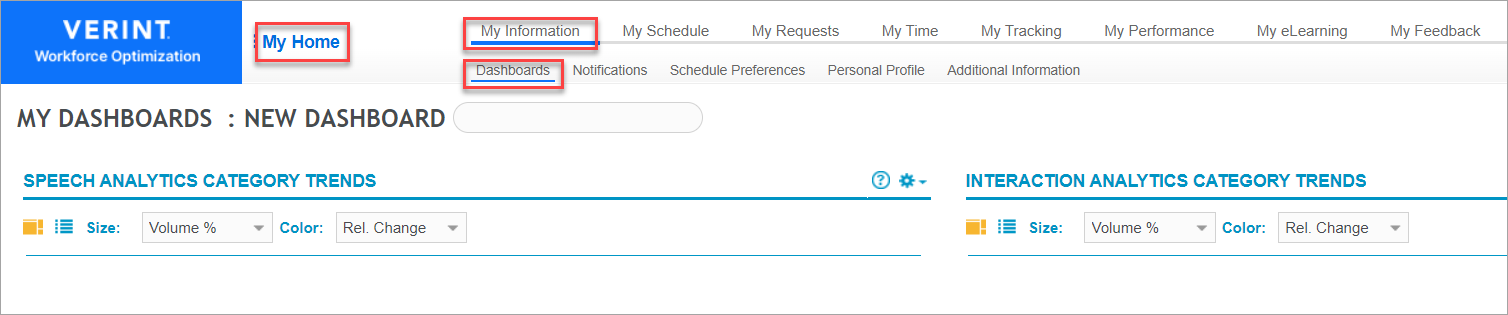
There are three menu levels on the WFO portal Home page or main UI access point for all WFO applications.. To access specific workspaces, select the relevant menus.
Main menu
The main menu provides access to all applications. When you select My Home, the main menu list appears.
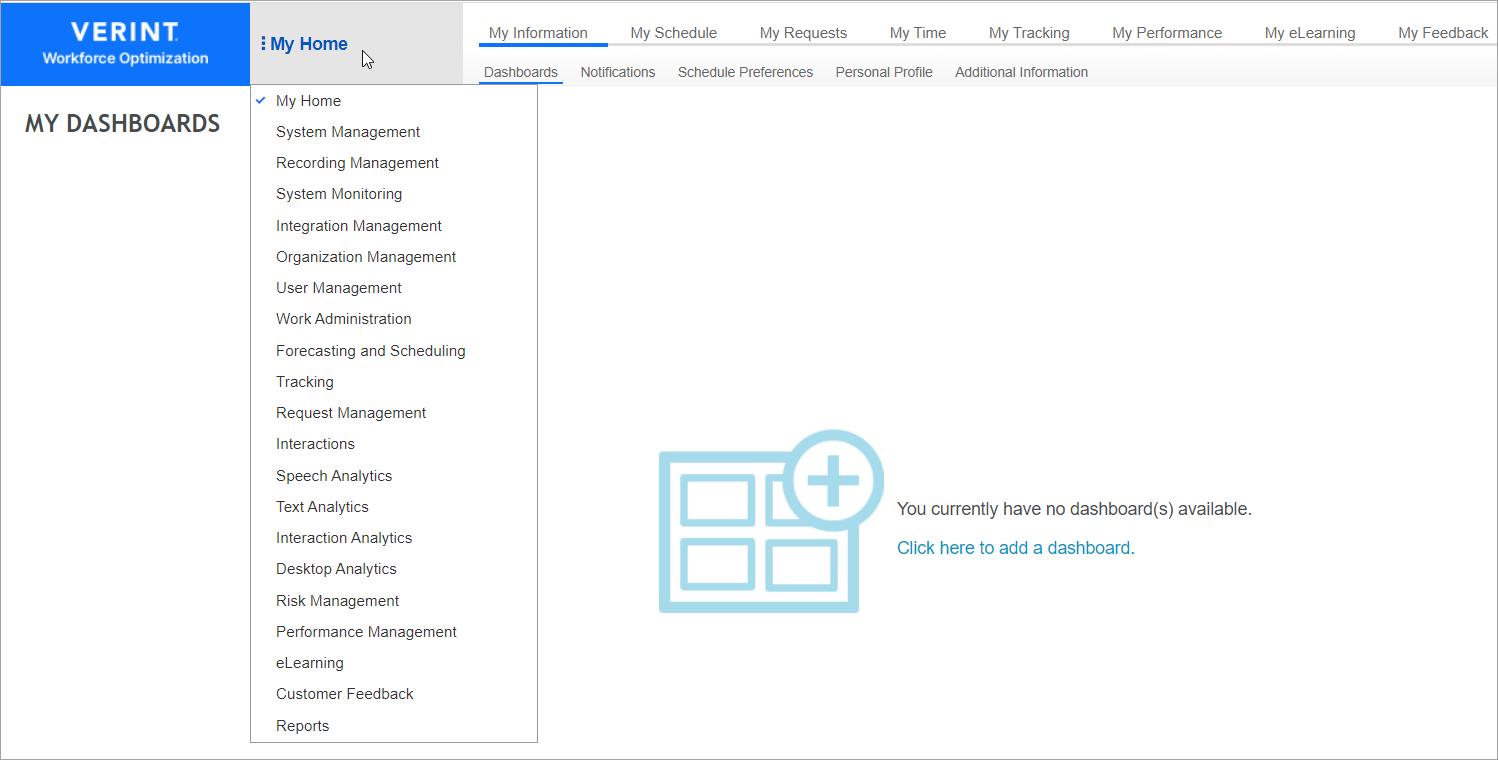
From this list, select the application you want. Each application selection provides different second-level menu options.
Second-level menus
After selecting the application you want from the main menu, select the relevant second-level menu. From the second-level menu, the system prompts you to select the relevant third-level menu.

Third-level menus
After selecting the third-level menu, the related content is displayed in the workspace Area within an application window where the user interacts with the program..