Set the reassignment frequency for lessons
-
From the portal Home page or main UI access point for all WFO applications., point to System Management Module that allows performing suite-wide system management activities from a single, Web-based application, the Enterprise Manager.. Under General Settings, click General.
-
In the right pane, scroll down to the eLearning Product that provides hard and soft skills training, applicable for the entire employee life cycle (before, during, and after the hiring process), and includes training assessment and design tools. Settings area and, in the Assign lessons no more than once every (days) box, type the number of days within which lessons may be reassigned, and click Save.
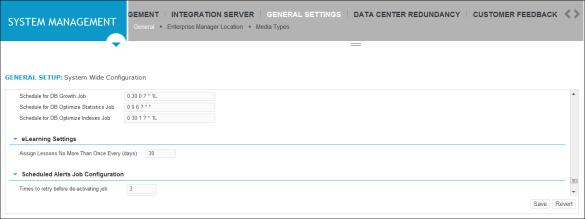
-
Click Save.