View an eLearning report
-
Go to Reports. Under Requests and Results, select Instances.
-
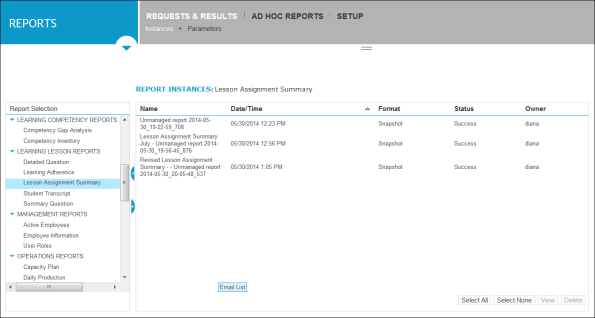
In the left pane, under Report Selection, scroll down the list to Learning Reports, and then expand to show the report types available, and the reports associated with each report type. Then select the eLearning Product that provides hard and soft skills training, applicable for the entire employee life cycle (before, during, and after the hiring process), and includes training assessment and design tools. report that you want to view.
The right pane refreshes with details about the selected report. The instance of the report shown on the right pane is the most current one:
-
In the Report Instances pane on the right, select the eLearning report, and then click View.
The report opens in a separate browser window.
-
When you are finishing viewing the report, close the browser window.