View the results of lesson assignment attempts
-
Go to My Home. Under My eLearning Product that provides hard and soft skills training, applicable for the entire employee life cycle (before, during, and after the hiring process), and includes training assessment and design tools., select History.
The eLearning History page displays.
-
On the page, select the lesson for which you want to view lesson attempts, then click Attempts.
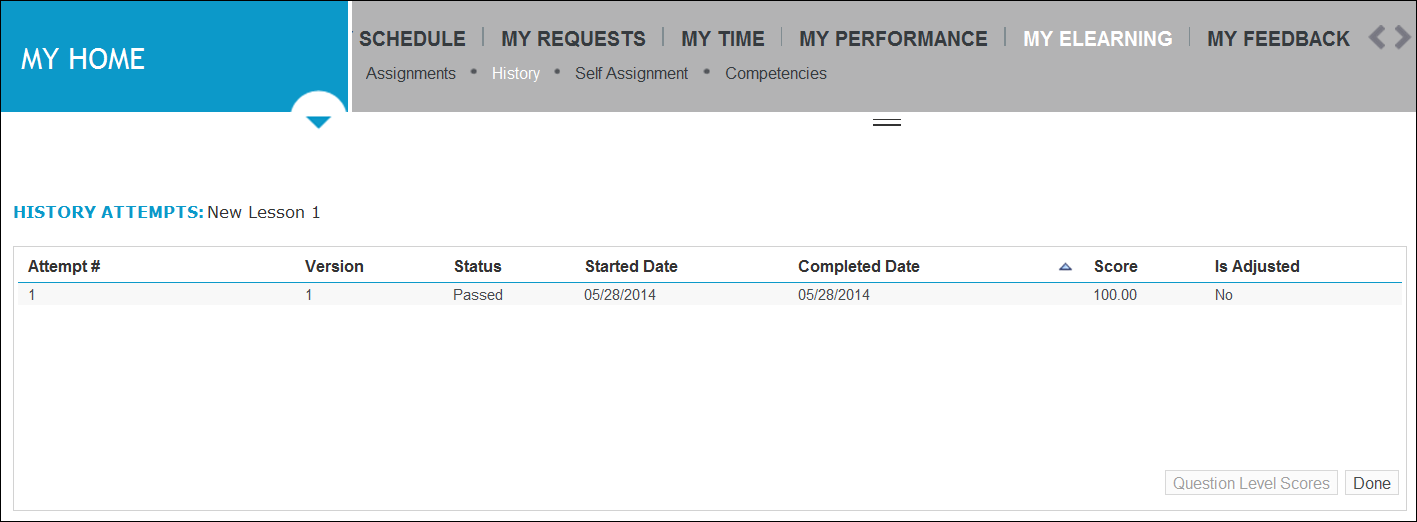
The lesson’s History Attempts page opens.
-
To review the details about the lesson attempts, view the information contained in these columns:
-
Attempt #
-
Version
-
Status
-
Started Date
-
Completed Date
-
Score
-
Is Adjusted
-
-
The Question Level Scores button is available for a specific type of lesson. If this button is available for your lesson attempt, you can click it to view answer details.
-
To return to the eLearning History page, click Done.