View individual lesson details
-
Go to My Home. Under My eLearning Product that provides hard and soft skills training, applicable for the entire employee life cycle (before, during, and after the hiring process), and includes training assessment and design tools., select History.
The eLearning History page is displayed.
-
On the page, select the lesson that you want to view in detail, then click Details.
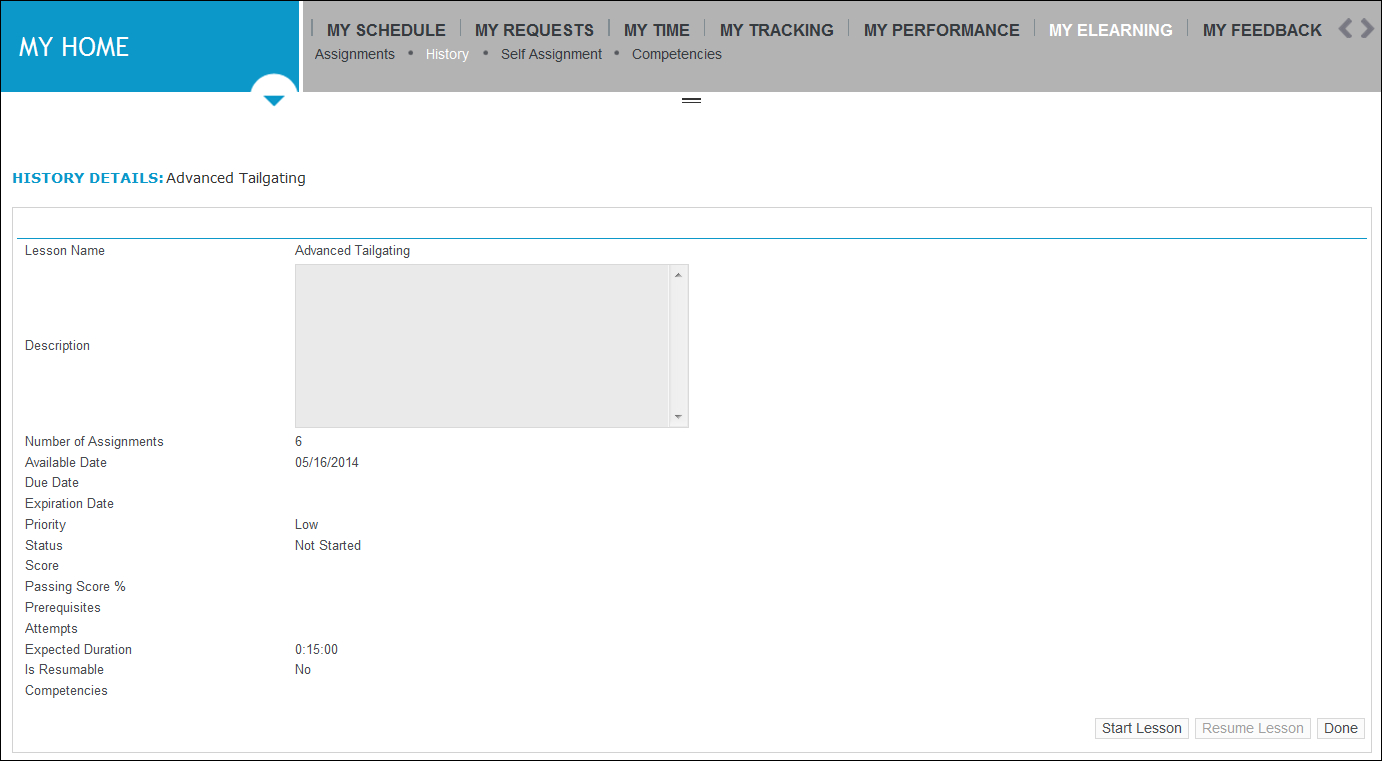
The History Details page opens.
-
To review the details about the lesson, view the information contained in these columns:
-
Lesson Name
-
Description
-
Number of Assignments: How many times the lesson was assigned to you
-
Available Date: The date that was set when the lesson was assigned
-
Due Date
-
Expiration Date
-
Priority
-
Status
-
Score
-
Passing Score %
-
Prerequisites: Applies to lessons in a block that have conditions attached to them
-
Attempts: The number of times you attempted the lesson
-
Expected Duration
-
Is Resumable: Whether the lesson was configured as resumable
-
Competencies: Which competencies, if any, were mapped to the lesson
-
-
To return to the eLearning History page, click Done.