View lesson attempt results
The eLearning Product that provides hard and soft skills training, applicable for the entire employee life cycle (before, during, and after the hiring process), and includes training assessment and design tools. system processes the lesson results, and the Lesson attempt result page opens.
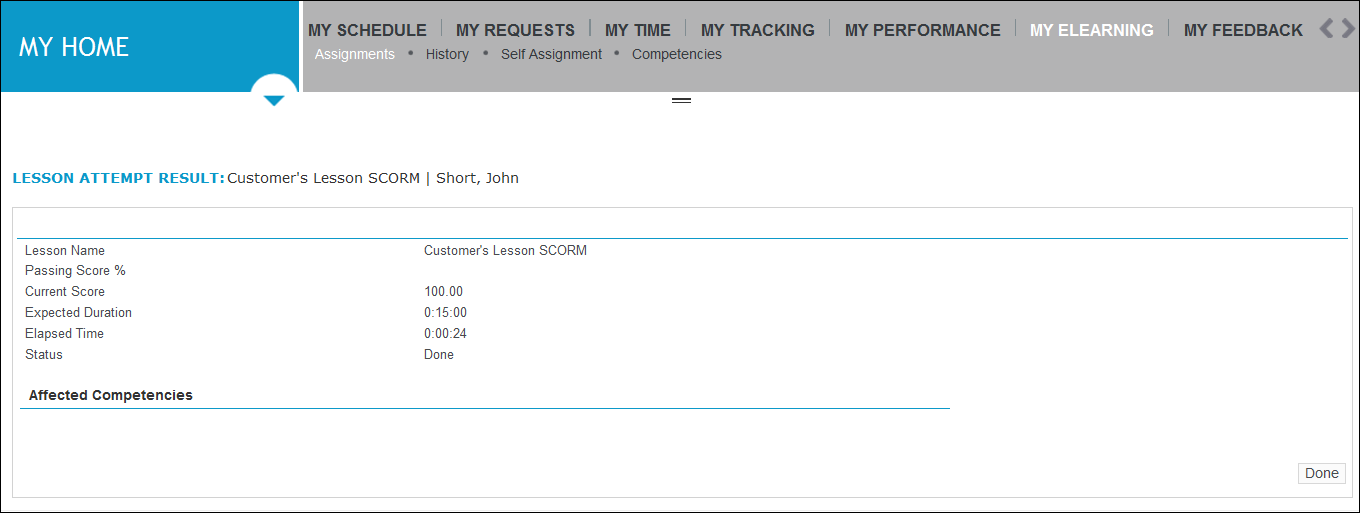
The page contains details about:
-
Lesson name
-
Passing Score
-
Current Score
-
Expected duration (how long it should have taken you to complete the lesson)
-
Elapsed time (how long it took you to complete the lesson)
-
Status
-
Affected competencies (if your organization purchased a license for Competency-based Learning, and your lessons are mapped to competencies).
When you are finished reviewing your lesson results, click Done. The page refreshes to show the Assignments or History page. Lesson results are reflected beside the lesson’s name in the Current Assignments or eLearning History list.
For details on viewing lesson assignment details on the Current Assignments or eLearning History pages, see eLearning Student: Reviewing Lesson & Competency History.